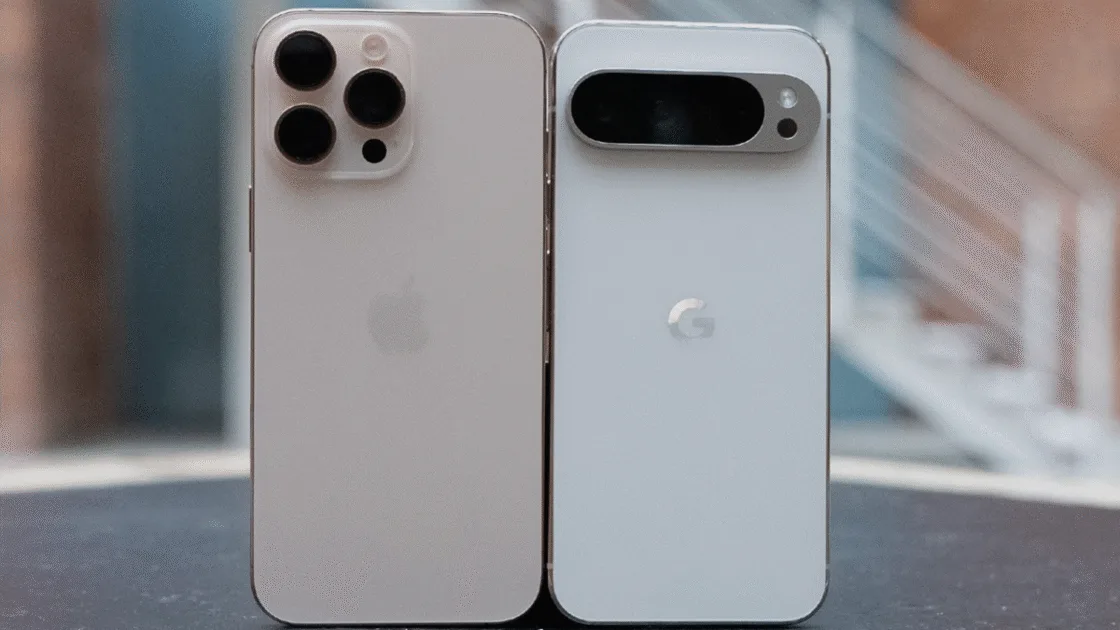
Pixel 10 Can AirDrop to iPhones Now, enabling fast, private, server-free file transfers that finally remove the Android-iOS sharing barrier.
Pixel 10 Can AirDrop to iPhones Now: For those who own iPhones and Pixels, Google has just made things really simple. With complete compatibility with Apple’s AirDrop, the business has announced that Android users may now safely share files with iPhone users via Quick Share. Although this is currently limited to the Pixel 10 series, it’s a significant step toward eventually removing the barriers to file sharing between iOS and Android.
Key Details of Pixel 10 Can AirDrop to iPhones Now
| Feature | Details |
| Compatibility | Pixel 10 ↔ iPhones, iPads, MacBooks |
| Method | Direct peer-to-peer (no servers, no logs) |
| Security | Independently verified, stronger than most implementations |
| Requirement | iPhone AirDrop set to “Everyone for 10 minutes” |
| Workflow | Works exactly like AirDrop on iPhone/Mac |
| Google’s Role | Entirely self-built, no Apple involvement |
| Availability | Pixel 10 only (for now) |
| Benefit | Fast, secure, lossless cross-platform file sharing |
Also Read:- Samsung Galaxy S26 Series May Retain 2,600-Nits Display Despite M14 OLED Upgrade
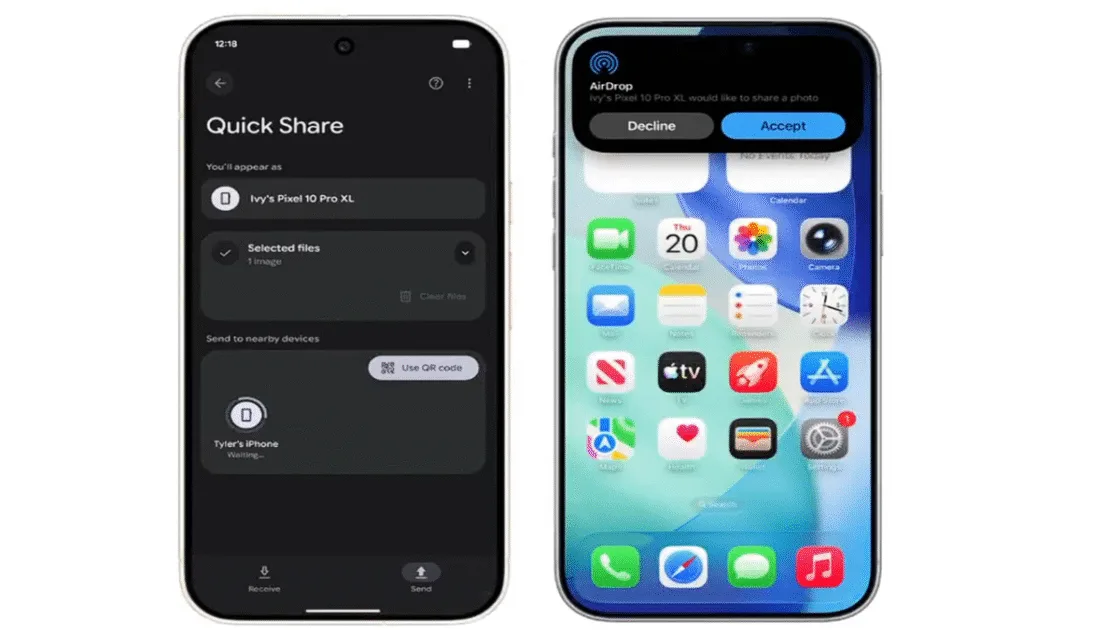
Google claims that the feature is neither a hack nor a workaround. It never uses a server to route content; instead, it makes use of a direct peer-to-peer connection. It doesn’t reveal any additional information and is never logged. Apple hasn’t yet commented on the development, and it’s unclear whether other Android makers like Samsung, OnePlus, Xiaomi, and Nothing will have access to this capability.
With regard to file sharing, the upgrade essentially enables a Pixel 10 phone to function similarly to an iPhone and vice versa. The procedure now functions just like AirDrop, which Android users have been requesting for years, whether you’re sending a picture to a friend’s iPhone, getting a paper from a MacBook, or sharing films from an iPad.
From the perspective of the user, this resolves a genuine issue. Anyone who has ever attempted to transfer a large document, RAW photo, or 4K movie between an iPhone and an Android device is aware of how challenging it can be. Typically, people switch to using cloud uploads, Drive, Telegram, WhatsApp compression, and third-party apps. Pixel 10 users will have a smooth cross-platform sharing experience now that Quick Share is finally communicating with AirDrop.
Sharing moments shouldn’t depend on the phone you have. Starting today with the Pixel 10 family, Quick Share now works with AirDrop, making secure file transfers between Android phones and iPhones more seamless. This builds on our commitment to cross-OS compatibility to bridge… pic.twitter.com/iNdZfjCYQ7
— Android (@Android) November 20, 2025
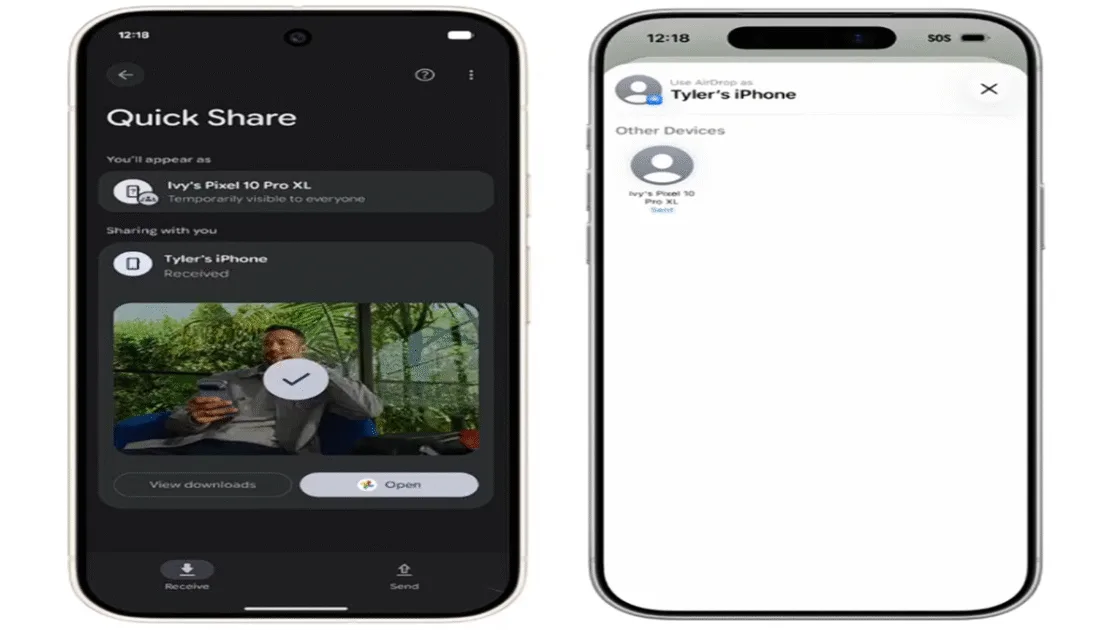
The iPhone user only needs to set AirDrop to “Everyone for 10 minutes” in order for the Pixel to see the device in Quick Share. Similar to a typical AirDrop notification, the iPhone or Mac user selects the device and then touches “Accept.” You only need to make your Pixel discoverable and wait for the AirDrop request if you’re receiving a file from an Apple device. It is easy to use, well-known, and—above all—secure.
Google claims that after testing compatibility with the independent security company NetSPI, it was deemed “notably stronger than other industry implementations.” Fast and secure transfers are becoming a crucial feature for smartphones as AI and large-file content creation grow. This improvement comes at a time when both ecosystems should search for methods to collaborate more effectively.
The strengths of the Pixel 10 lineup will be further strengthened if Google retains the feature pixel-exclusive. This kind of exclusive functionality could encourage consumers to purchase Google gear. For the time being, the Pixel 10 series has a significant advantage over other Android phones if you value smooth iPhone connectivity.
Also Read:- Honor Robot Phone Teased Ahead of MWC 2026 with AI-Powered Gimbal Camera
It’s interesting to note that Apple had nothing to do with the change. Google told The Verge that it created the whole implementation by itself. Spokesperson Alex Moriconi stated, “We accomplished this through our own implementation,” and added that Google looks forward to working with Apple in the future to further enhance compatibility.